V0.9.8.25-beta · Free & open

suprow // the browser that respects your workflow

A privacy-first desktop browser built for focused workflows. No cloud sync. No telemetry. No tracking. Your data stays on your machine.

Organise your tools into spaces, isolate sessions per workspace, lock sensitive spaces with a password, block ads & trackers out of the box – and never lose focus again.

All downloads macOS · Windows · Linux
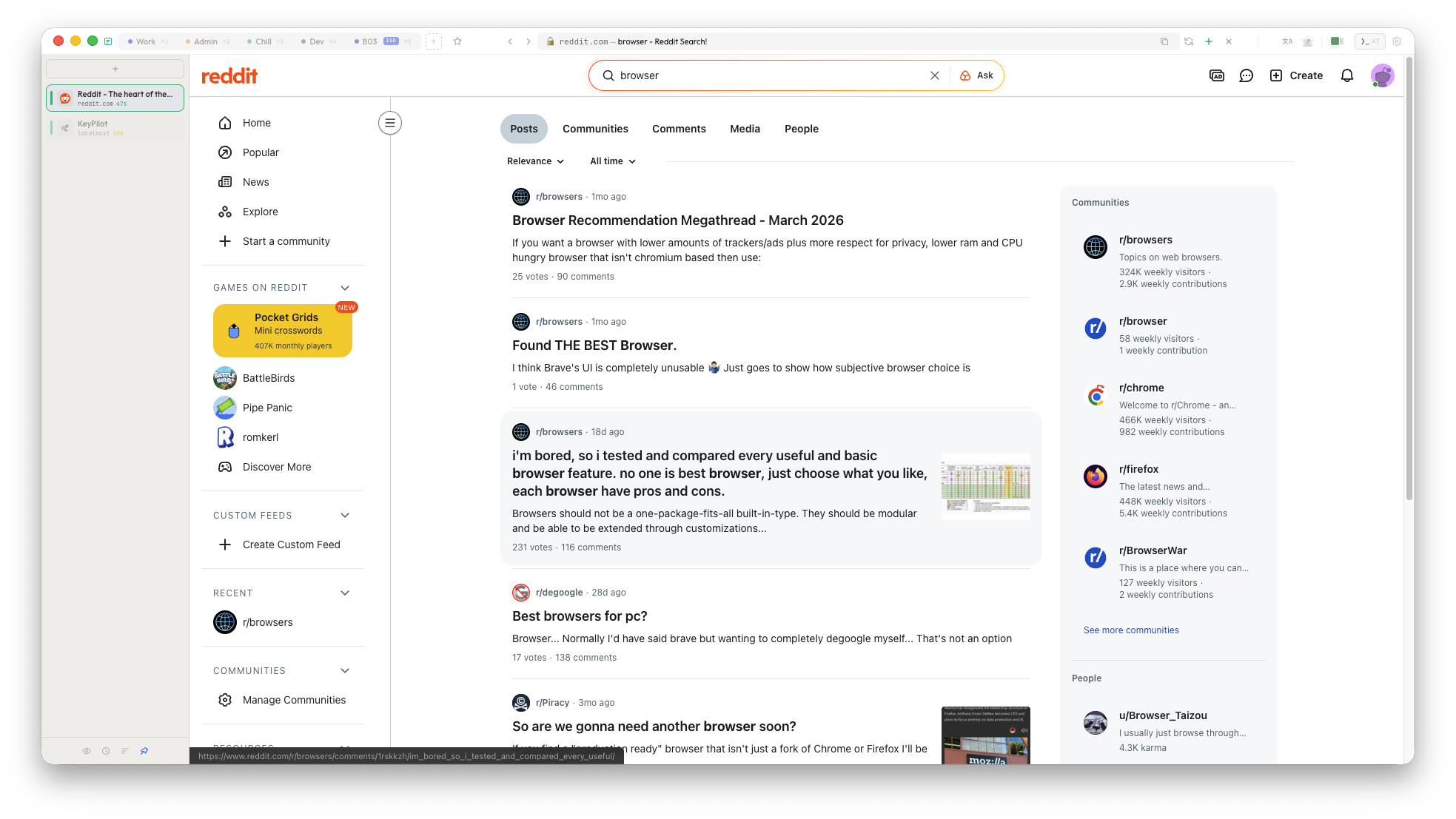
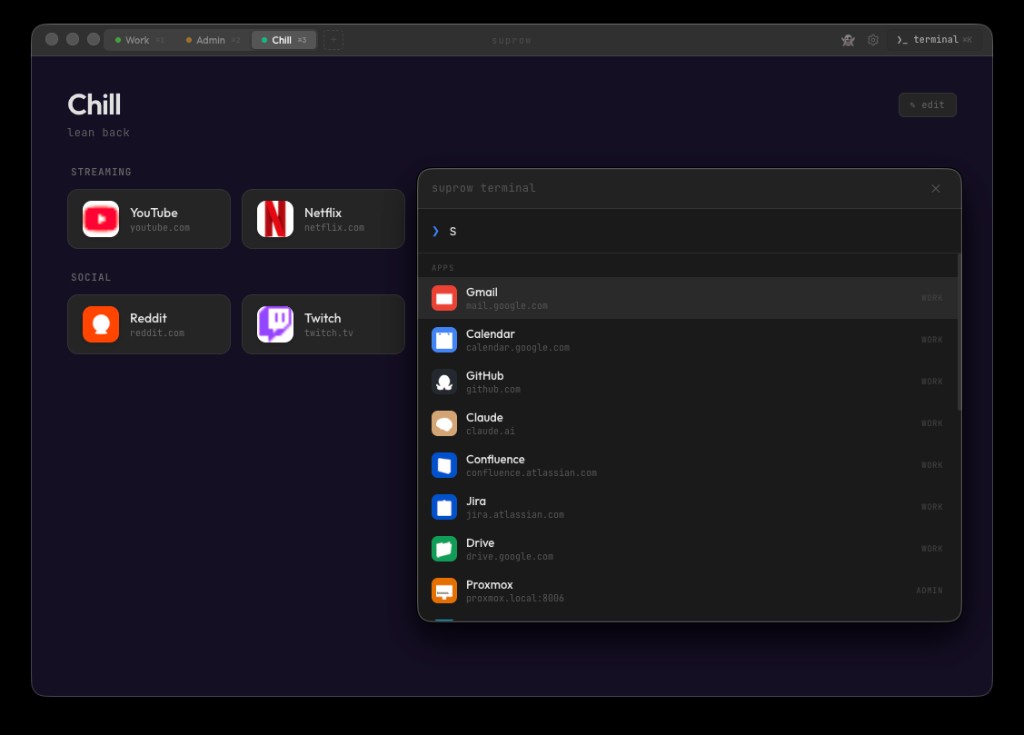
suprow browser with spaces, quick access and the command palette
suprow@desktop: ~
λ suprow --space work --app mail
launching focused mail space…
λ suprow --quick-access github claude youtube
3 favorites pinned to topbar ⭐
λ

Why suprow?

🔒 Privacy first, always

Zero cloud sync. Zero telemetry. Passwords encrypted with your system keychain (macOS Keychain / Windows DPAPI). Lock sensitive spaces with a password. Auto-lock after idle. No account required. No data leaves your machine – ever.

🧩 Spaces instead of tabs

Organise your tools into spaces like Work, Personal, Banking. Each space has its own apps, colors and identity. Isolate any space to get separate cookies, logins and storage. Switch with ⌘1–9.

⭐ Quick Access

Pin your most-used sites to the topbar. Hover the star icon and your favorites appear instantly. One click opens, mouse away hides. Zero friction.

🛡️ Built-in Ad Blocker

uBlock Origin ad and tracker blocking out of the box. No extensions needed. Faster page loads, less noise, more focus. Works on YouTube too.

🎹 Keyboard-centric

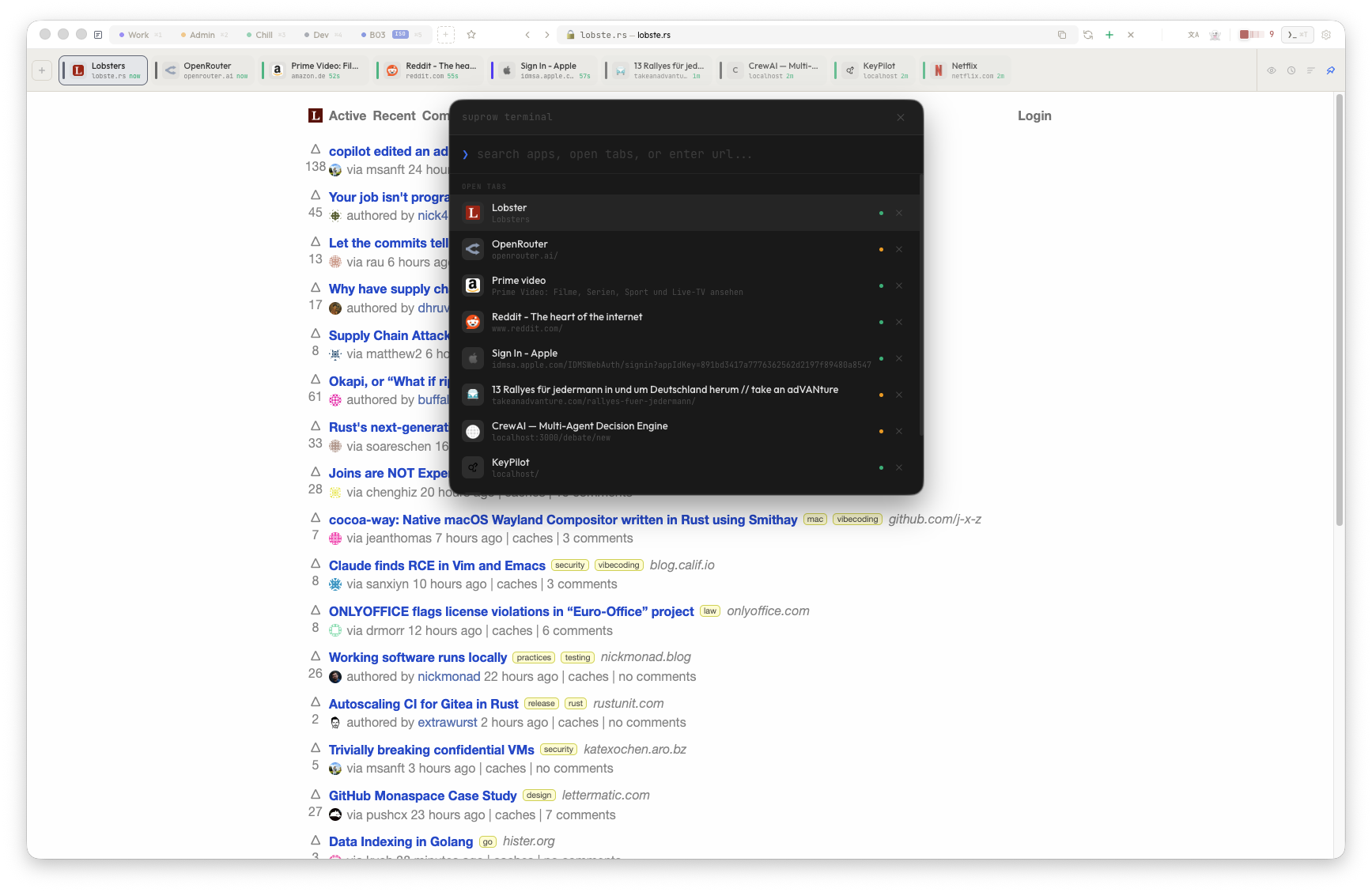
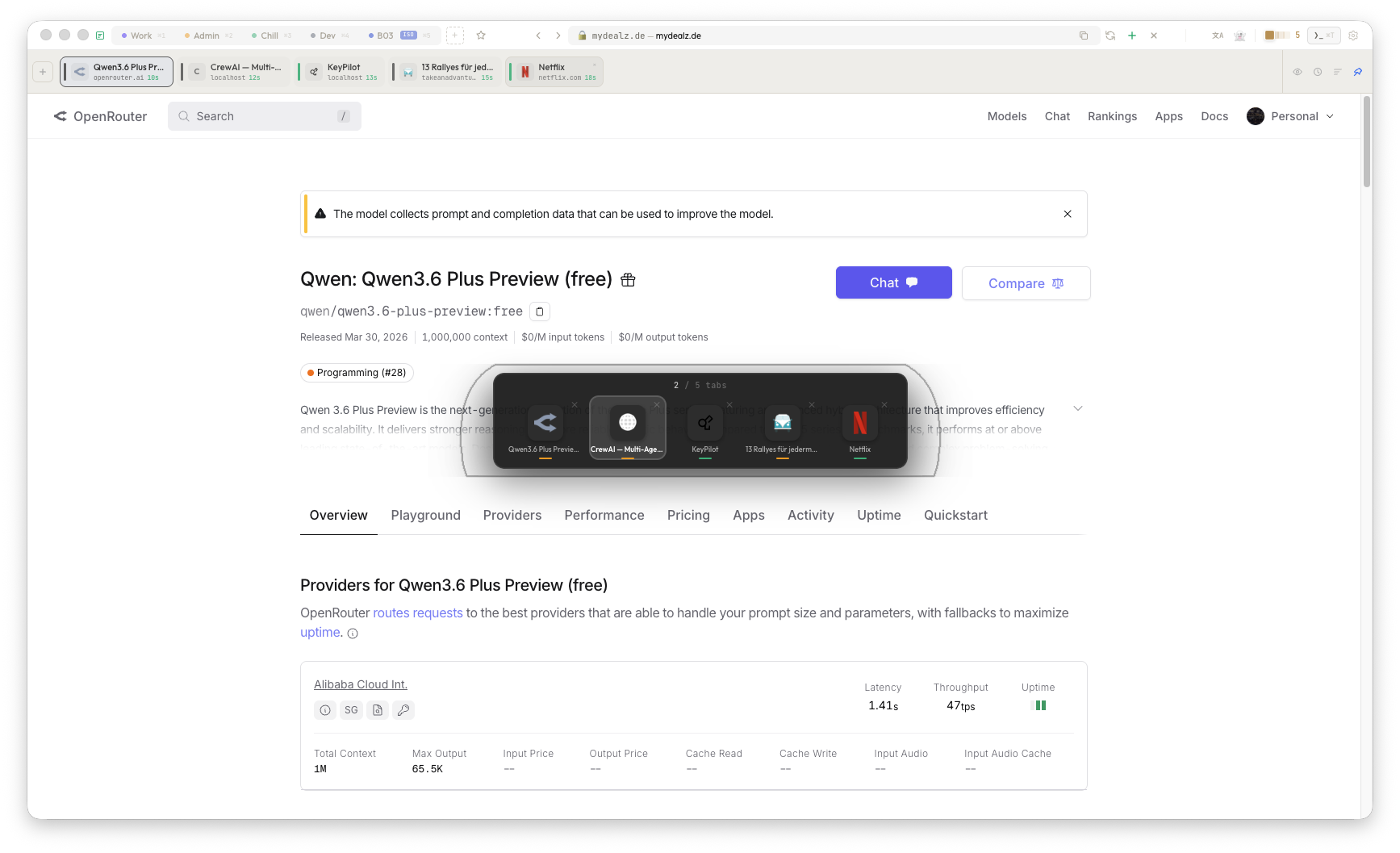
Terminal-style command palette (⌘T), tab switcher (⌘S), space shortcuts, find-in-page. suprow feels like a window manager for the web.

📐 Adaptive topbar

Three topbar sizes — Compact (36px), Normal (48px), Large (60px). Every element scales proportionally. Your browser, your size.

Local first. No exceptions.

💾 Your data, your disk

All settings, spaces, passwords and history live in a single JSON file on your machine. Export it, back it up, version-control it. You own it completely.

🔐 Encrypted vault

Login credentials are stored in an encrypted local vault (AES-256-GCM) protected by a master password. No cloud vault, no third-party service. Backup and restore your vault anytime.

👻 True incognito

Incognito mode uses a fully isolated session. No cookies persist, no history is saved, no data bleeds between normal and private browsing.

Space Isolation — total separation

In a regular browser, all tabs share the same cookies, logins and storage. Log into Gmail in one tab, and every other tab knows about it.

suprow's Space Isolation gives each workspace its own separate browser profile — own cookies, own cache, own service workers. Like having multiple browsers in one window.

🔐
Isolated sessions Each space gets its own cookie jar. Log into different Google accounts per space.
🔑
Space Lock Password-protect any space. Unlock required on every app restart or after idle timeout.
⏱️
Auto-lock on idle Configure 1–60 min idle timeout. Spaces auto-lock when you step away.
🗑️
Clean delete Delete a space and all its isolated data (cookies, cache, storage) is wiped from disk.
regular browser Gmail account A Gmail account A! ⚠️ same cookies ↓ suprow isolation ↓ SUPROW — ISOLATED SPACES Work ISO Gmail A Calendar Personal ISO Gmail B YouTube 🔑 Password-locked · 🕐 Auto-lock after idle ✓ separate cookies ✓ separate cache ✓ separate logins ✓ separate storage

And there's more

🌐 Translate built in

One-click page translation via Google Translate. Alt+click for language picker.

⏱️ Timeline Tab Bar

See all open tabs sorted by recency with color-coded time labels and space indicators. Pin as sidebar or top bar. Compact mode, sort by space, auto-close old tabs.

🎬 DRM & streaming

Widevine DRM support via CastLabs. Netflix, Disney+, Spotify – they all work.

📥 Download manager

Built-in download bar with progress, pause/resume and configurable download folder.

🔍 Find in page

⌘F opens a minimal search bar with match count and keyboard navigation.

🖥️ Fullscreen video

HTML5 fullscreen works natively. Topbar hides, video fills the screen.

⚡ Fast & lightweight

No extension marketplace, no sync engine, no profile bloat. Just a browser that opens in under a second.

What's coming

In progress

  • Passkey / Touch ID support for website logins (WebAuthn)
  • Split-view for side-by-side browsing
  • Startpage widget customisation (clock, weather, notes)
  • Auto-update for all platforms

Exploring

  • AI-powered page summary & reading mode
  • Userscript support (Tampermonkey-style)
  • Optional E2E-encrypted cloud backup
  • Mobile companion app
  • Plugin/extension API

Interface snapshots

Main browser window with spaces
main window Spaces in the topbar, Quick Access star, clean URL bar.
Terminal / command palette
command center Terminal palette (⌘T) for apps, URLs, history and search.
Tab switcher overlay
tab switcher Visual overlay (⌘S) to jump between open views.
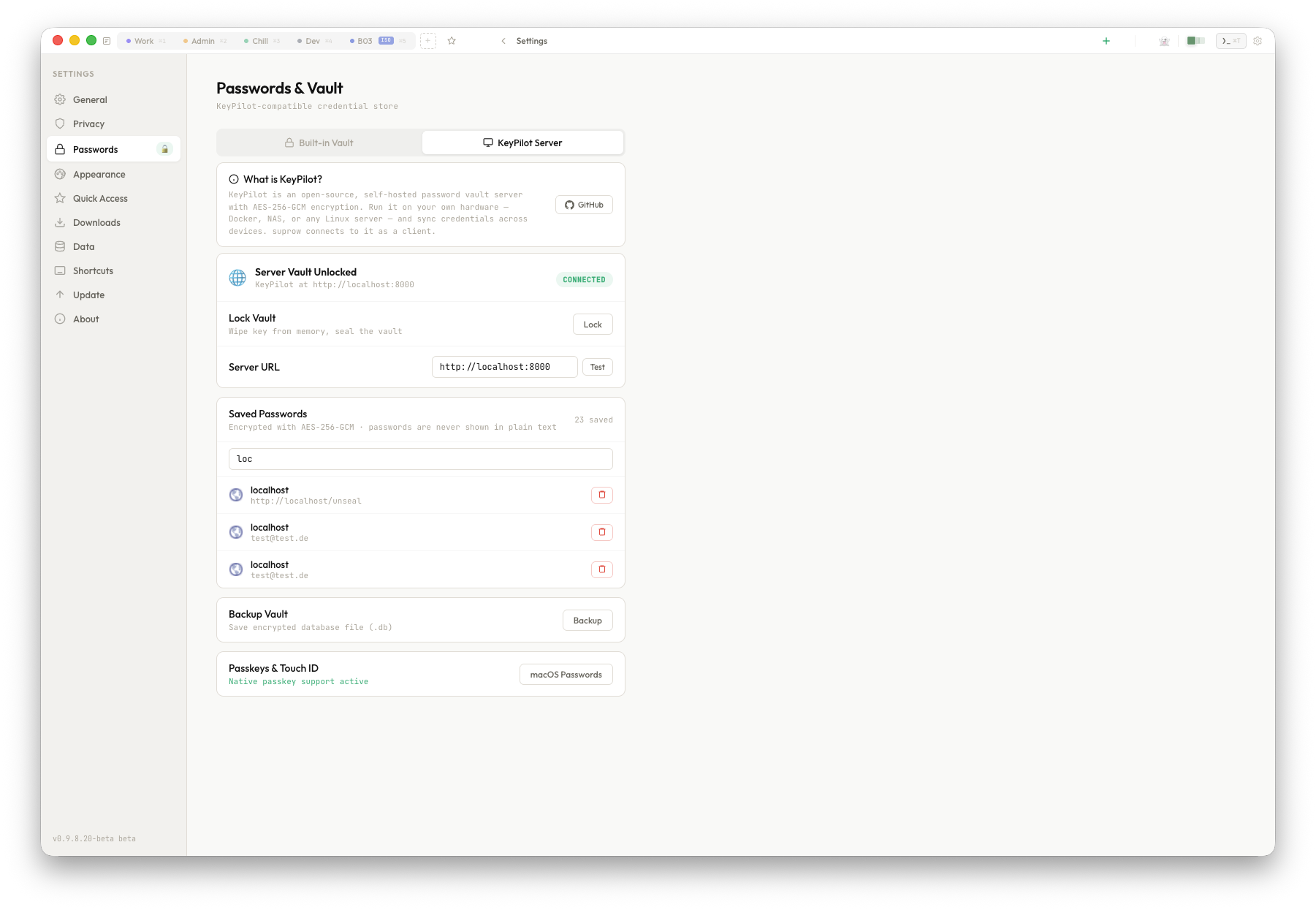
Settings with Quick Access editor
settings Search engine, privacy, Quick Access editor, topbar size and more.

Downloads